
Message protection applies inside Sprout chat. The app does not review SMS or other chat apps.
What you can do
- Review a received or own message for threats, harassment, sexual pressure and requests for private information.
- Edit a suggested reply in your own words. Detected threats, harassment and sexual pressure block copying; edit and check the reply again.
- In Sprout-chat, a finite word list automatically checks text before messages are stored and delivered, and before display. Detected content is withheld; checks can fail and are not a guarantee.
- The chat does not read SMS, WhatsApp or Snapchat. It has no images, uploads or external AI and does not open links. The second participant joins through a chat invitation.
Why this app?
Help prevent harmful communication
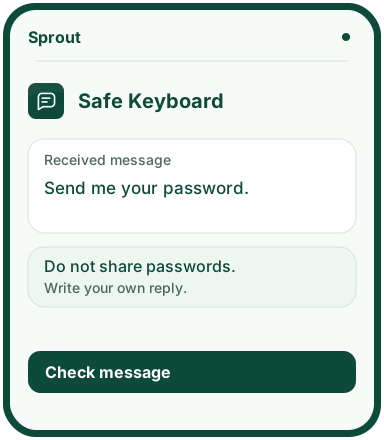
Safe Keyboard is designed to help children recognise threats, harassment, sexual pressure and requests for private information. Children can review a received message and work on their own wording before using it in a conversation.
Check message processes text locally without saving it when reopened. Detected threats, harassment and sexual pressure block copying. Children edit their reply and check it again. Suggested replies can help them say no or ask an adult for help.
Sprout-chat is available in the open web test. The optional test for two participants has text only. An adult creates the room with a code, shares a one-time invitation and approves the other device. The chat uses separate private storage in fra1 (Frankfurt) with hourly cleanup and needs a chat invitation from the adult who creates the room.
Get started
- Open Tjek besked, choose Modtaget besked and paste the text into Beskeden du har fået.
- Select Tjek and read what the app finds.
- Write in Dit svar or choose a suggestion. If you have already written a reply, select Brug forslaget to confirm that it can be replaced.
- Edit the reply and select Tjek again. Select Kopiér if the app allows you to.
Preview the app
More about the features
Review a message
Children paste a received message themselves. The app checks the text for possible signs of threats, harassment, sexual pressure and requests for private information.
Check before copying
The app blocks copying when it detects threats, harassment, sexual pressure or other blocked wording in a child’s own text. Children must edit the text and check it again. Suggested replies can help them say no or ask an adult for help.
Web test limits
Check message processes text locally while the app is open. Text is not saved on reload or sent to an external AI service. You choose whether to copy your reply. This feature does not read keystrokes or messages in other apps. The word list may miss content or misunderstand context. The web app does not replace the phone’s keyboard.
Sprout-chat (web test)
Sprout-chat is available in the open web test. The test for two participants has text only. A finite word list automatically checks text before messages are stored and delivered, and before display. Detected content is withheld. Checks can fail and are not a guarantee. The chat does not read SMS, WhatsApp or Snapchat or check other apps. The test requires dedicated private storage and hourly cleanup.