
Contacts and agreements stay on your device. Meeting places are not live tracking.
What you can do
- Save adults’ names, phone numbers and relationships to your child.
- Open the phone’s call screen from a saved contact.
- Write down family agreements about online life and mark them as done.
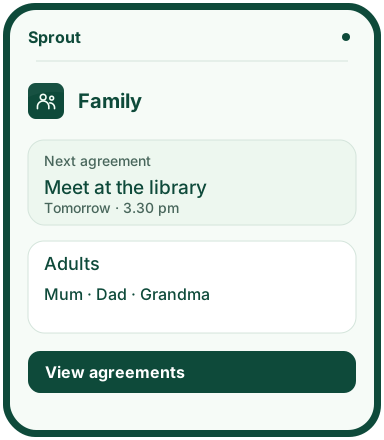
- Save a meeting place and time. The next meeting appears on the home screen.
Why this app?
Contacts and everyday plans
If a message upsets your child, knowing who to call can help. In Family, you save the adults your child knows and the agreements you make together.
Write down who to contact about an unwanted message, for example, or where to meet after school. Your child can mark an agreement as done once they have followed it.
You choose what to save. The app does not track your child’s location or read messages from other apps.
Get started
- Add an adult with their name, relationship to your child and optional phone number.
- Create a digital agreement and write down what you have agreed.
- Add a meeting: what you are doing, where to meet and when.
- Check the next meeting on the home screen and mark it once you have met.
Preview the app
More about the features
Your child’s trusted adults
Save names and contact details for adults your child can turn to when they need help.
What you agree together
Make family agreements and save meeting times and places. Saving a meeting place does not share your child’s location.
Keep a copy
Export a copy of your data. You can review a copy before importing it. Contacts and agreements are not automatically shared with other devices.